Projects & workspaces
Projects
A project is one canvas, its chat history, its assets, its video edits and its version history. It's the unit of work.
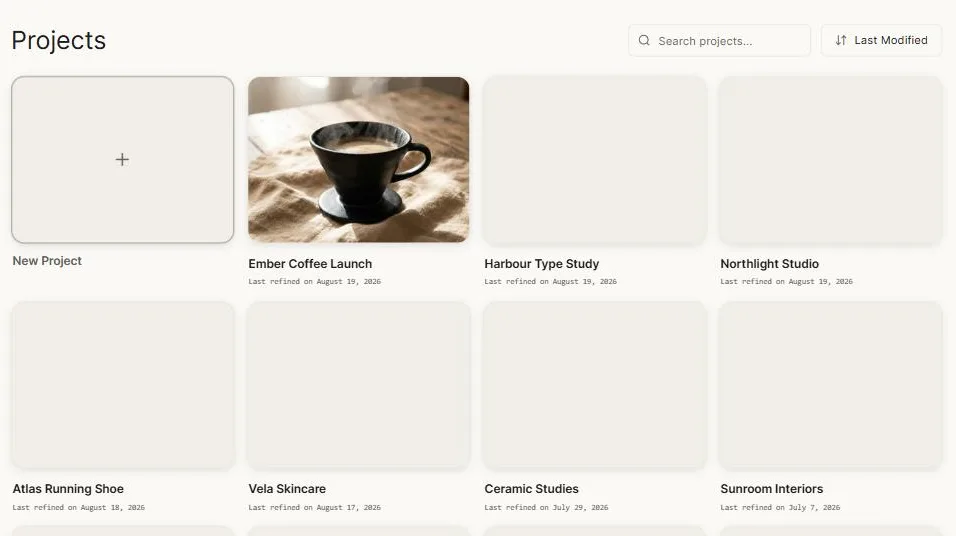
Open Projects in the sidebar to see them all, each with a preview of what's on its canvas.
Finding one
Search by name. Sort by last modified, date created, or A–Z — Clip remembers which you chose.
The home page also keeps a scrolling row of your most recent projects.
Creating one
From the sidebar's New Project, from the projects grid, from the home page prompt bar, or from the project menu on the canvas.
Managing them
Right-click a project card, or use its ⋯ menu:
- Rename — click and type.
- Duplicate — a full copy, as a starting point for a variation.
- Copy to workspace — move work to another workspace, for instance from your own space into a client's.
- Delete.
Workspaces
A workspace is a container for projects. Most people need one. You'll want several when you're keeping separate bodies of work apart — one per client, or per brand, or per campaign.

Switch workspaces from the control at the top of the sidebar. The projects you see, the brand kits available, and the credits you're spending all follow the active workspace.
Multiple workspaces are on the paid plans, and the number you can have goes up with the plan.
Setting them up
In Settings → Workspaces you can create, rename, describe and remove workspaces.
Who can see what
Members are added per workspace with a role that decides what they can do — see Organizations & teams.
Credits per workspace
On team plans you can give each workspace its own credit allowance instead of letting everyone draw on one pool. It's how you stop one campaign consuming the month's budget.
There's also a weekly usage chart per workspace, so you can see where the credits actually went.
How it fits together
Organization          your company or your account
└── Workspace         a body of work — a client, a brand, a campaign
    └── Project       one canvas
        ├── Chats
        ├── Assets
        ├── Video edits
        └── Version history
Credits and plans live at the organization level. Projects live in workspaces. If you're one person on an individual plan, you have one of each and can safely ignore the distinction.
Next: Organizations & teams.