Brand kits
A brand kit holds everything that makes your brand yours — logos, colours, typefaces, tone of voice, visual references and standing instructions for the AI. Attach one to a project and everything Clip makes for it arrives on-brand.
Brand kits are on Starter and above; the number you can keep goes up with your plan.
Creating one
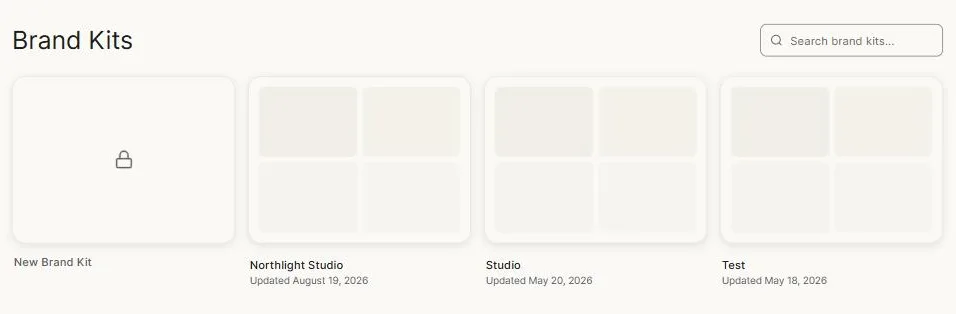
Open Brand Kits from the sidebar and pick New Brand Kit. You'll be taken into the editor, which is organised into sections down the left.
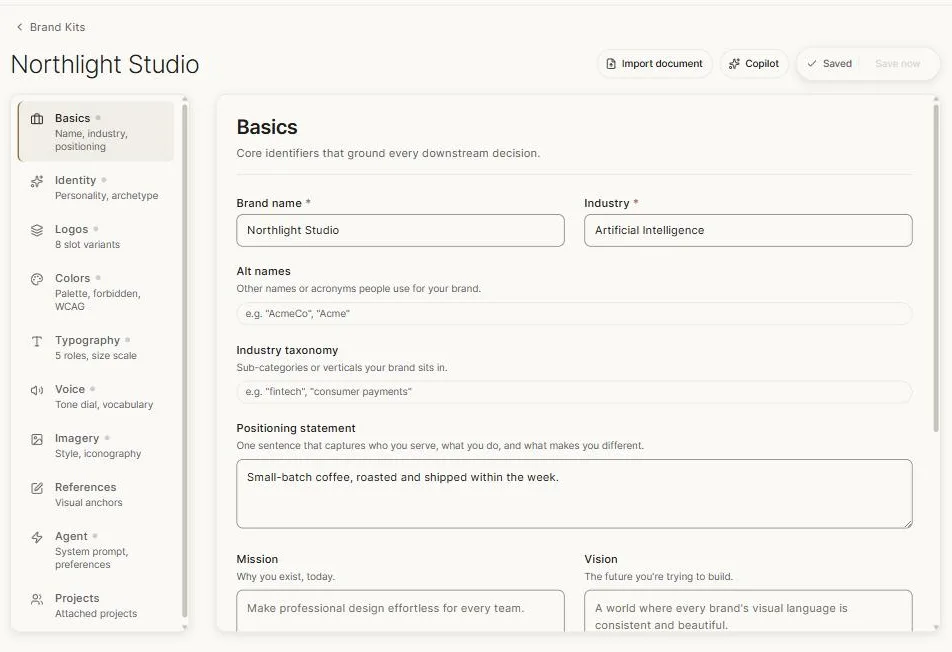
You don't have to fill it all in. A name, a palette and a couple of lines about voice already change what the AI produces. Everything else deepens it.
The sections
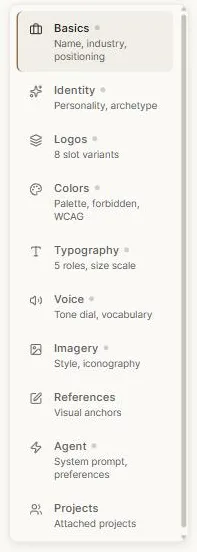
Basics — name, industry, positioning statement, mission and vision. The grounding for every downstream decision.
Identity — personality and archetype. How the brand behaves, not how it looks.
Logos — eight slots for variants: primary, stacked, mark-only, reversed, and so on. Upload each one you have.
Colors — your palette, with automatic light-to-dark shade ranges generated from each colour and readability checking so you know which combinations are legible. You can also record colours the brand must never use.
Typography — assign typefaces to five roles such as headline and body, and set a size scale. You can upload your own licensed fonts as well as choosing from the library.
Voice — a tone dial and vocabulary. What the brand sounds like, what words it uses, and what it avoids.
Imagery — the photographic and illustrative style, and iconography.
References — a board of images that define the look. Often the fastest way to communicate a style that's hard to describe.
Agent — standing instructions the AI follows for this brand. A system prompt in plain words: things it must always do, things it must never do.
Projects — every project currently using this kit.
Your work saves as you go; the indicator at the top shows the state.
Uploading fonts
You can upload your own brand typefaces. Clip asks you to confirm you have the right to use them, which is a hard requirement rather than a checkbox — uploads without it are rejected.
Uploaded fonts act as style guidance and a visual specimen for the AI: the model approximates the face rather than typesetting exact glyphs, and the effect is strongest on headlines and display type. For exact typesetting, use real canvas text in your brand font.
Custom fonts are on higher plans.
Attaching a kit to a project
On the canvas, the top bar shows No brand kit until you attach one. Click it and pick. From then on, the design agent and the content writer both work within the kit — its palette, its typefaces, its voice, and its standing instructions.
One kit at a time per project, which is what you want: a project is for one brand.
Two faster routes
Filling a kit in by hand is thorough but slow. Two alternatives:
- Brand kit copilot — an assistant that builds the kit with you.
- Importing brand guidelines — upload your existing brand PDF and let Clip fill the kit in.
Next: Brand kit copilot.