Exporting
Getting work out of Clip. All of it is free, on every plan — though the professional formats need a paid plan to be available.
Two kinds of export
Downloading a selection. Select something and download it. Immediate, from your browser.
Exporting the canvas. Prepared on Clip's servers, delivered when ready. This is the route for layered PSD and print-ready PDF.
They're deliberately separate. One acts on what you selected; the other composites the whole page.
Downloading a selection
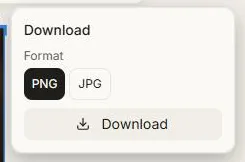
Select one or more objects and use the download control on the toolbar.
| Format | Use it for |
|---|---|
| PNG | Anything with transparency — cut-outs, logos, overlays |
| JPG | Photographs, where file size matters |
| SVG | Vector artwork, infinitely scalable |
Choosing a single vectorized image defaults to SVG and gives you the real vector file — not a picture wrapped in an SVG.
Video, audio and 3D models download in their own formats: MP4, an audio file, and .glb respectively.
Exporting the canvas
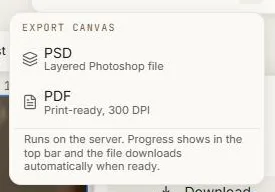
Use Export canvas in the top bar for the professional formats:
| Format | What you get |
|---|---|
| PSD | A layered Photoshop file — every object as its own layer |
| Print-ready, at 300 DPI |
PSD and PDF export are on Starter and above; SVG is on Premium and above.
The export is prepared on the server. You'll see it running in the top bar, you can carry on working, and the file downloads automatically when it's ready. If one fails, the notice stays until you dismiss it.
What lands in the file
The document is sized to your content — the bounding box of everything on the page — rather than to a fixed canvas size. Nothing ends up outside the document edges where you'd have to go hunting for it.
Layers arrive in the same front-to-back order they have on the canvas, named as they're named in your layers panel.
Two limits worth knowing:
- Everything in the export must be a stored asset. An object still processing — a 3D model whose preview hasn't finished uploading, for instance — is skipped.
- A very large or very spread-out composition is refused with a message explaining what to change. Exporting a canvas whose content spans tens of thousands of pixels means an enormous mostly-empty file.
Rotated objects export as their upright bounding box.
Choosing a route
- One image, one logo, one cut-out → download the selection.
- A finished layout for a client or a printer → export the canvas as PSD or PDF.
- A finished video → render it in the video editor.
Next: Version history.